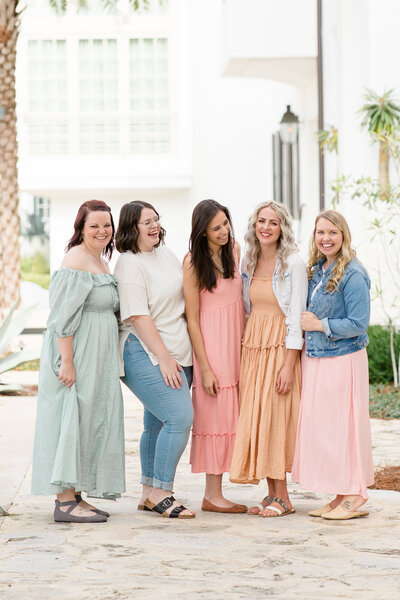

She had spent real money on it. A Showit template, someone to set it up, a full afternoon writing the copy. And honestly it looked beautiful. Her Instagram followers said so. Her mom said so. She said so.
But the inquiry form had been silent for weeks.
This is one of the most common things I see when photographers share their websites with me. The site looks right. The colors are cohesive, the galleries are gorgeous, the fonts are pretty. And nothing is converting. No clicks on the contact button, no inquiries coming through, no bookings to show for any of it.
Here's what I want you to understand: a beautiful website and a website that books clients are two completely different things! Most photography website tips you'll find online focus entirely on the first one. This post is about the second.
What Your Homepage Says In the First Few Seconds
Pull up your homepage right now. Seriously, open it in a new tab.
What does someone learn before they scroll? Before they click around, before any of that. What does your above-the-fold experience (everything visible before the first scroll) actually communicate?
This is the lens I want you to use for the rest of this post. Because your homepage usually does its most important work right here, above the fold, where most visitors decide whether to stay or leave. And most photography websites don't say anything clear in that space.
The very first thing you want before anybody even scrolls is your name and your logo. But you also want who you are, who you serve, and your location. Then a nice big hero image, so it pulls your people in quickly and shows them what your work looks like.
Here's what most photographer homepages do instead: a beautiful hero image (often the photographer herself, or a styled flatlay), the photographer's name in a script font, and a tagline like “capturing your story.” Pretty, but it tells a searching mom nothing.
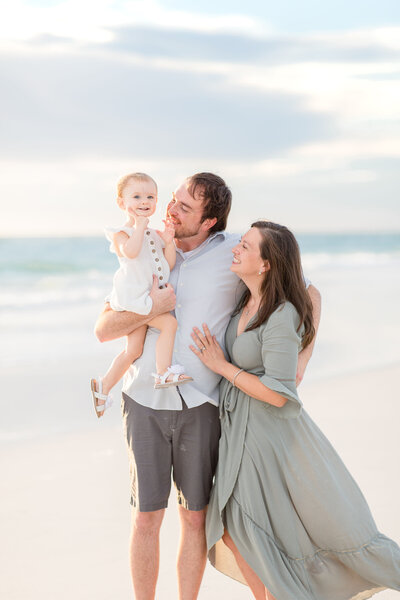
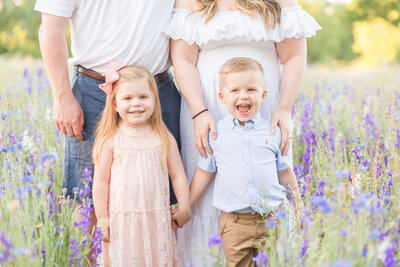
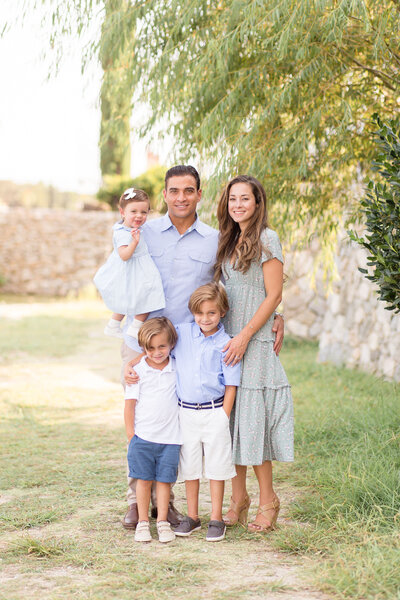
Here's what a homepage that books looks like above the fold: a clear statement of who you serve (“family photographer for real families in Austin, TX”), your location, and a photo of real families. Kids mid-laugh, parents mid-hug, actual humans.
That's the whole shift. Not a redesign. Not a new template. Just clarity.
Why Your Homepage Isn't Converting (It's Not What You Think)
The problem almost never comes down to aesthetics. I've seen stunning websites that don't book a single client. I've seen simple, bare-bones sites that are booked solid. It comes down to clarity, not design.
When I want to show photographers what this looks like in real life, I pull up Photography Co, my associate team's website. We just newly designed it, it's a Showit site we built on a template and customized, and I love walking through it page by page because it shows the structure that actually does the work.
Who are you talking to?
Read through your homepage copy right now and ask yourself: who is this written for?
Most photographer websites are written for other photographers. “I believe in capturing genuine moments.” “Light and airy images that tell your story.” “Documentary-style sessions for the in-between.” These phrases sound good to us because we know what they mean. But a mom searching for a family photographer has no idea what “documentary-style” means. She's asking a completely different set of questions.
She wants to know: Will this photographer know what to do with my wild three-year-old? Is this photographer used to real families, or just the ones who show up looking perfect? Where do I even start?
If your website doesn't answer those questions in the first few seconds, she closes the tab and moves on. And you never even knew she was there.
Writing to ONE reader changes everything here. Pick your single favorite client you've ever worked with and write the whole site to her. I know it feels backward, but specificity can be the number one thing that brings you more clients, not less! When I eliminated wedding photography from my services to focus on families, my business grew. Saying exactly who you're for is what pulled the right people in.
Make yourself the guide, not the hero
People will book with you when they find themselves as the center of your story. That's the heart of the StoryBrand framework, and it's what I use to write website copy that actually connects. The book is “Building a Story Brand” by Donald Miller, and there's a free tool at mystorybrand.com that walks you through building your own brand script.
The short version: your client is the main character, not you. You're the guide. So your copy names what they want, names the problem they're up against, and then positions you as the experienced guide who has a plan to get them there. You can infuse that brand script into your homepage, your About page, your emails, and your Instagram.
The Trust Problem Family Photographers Don't Know They Have
Here's something that doesn't come up in most photography website tips, and it's specific to us as family photographers: the trust problem.
When a mom is looking for a family photographer, she's not just evaluating your portfolio. She's trying to figure out if she can trust you with her chaos. Because booking a family session is vulnerable. She knows her toddler might melt down. She knows her husband hates getting his picture taken. She knows the “Pinterest session” she's imagining might not match what actually happens. And she's wondering: is this photographer going to judge us? Is she going to be patient? Has she done this before?
Your website has to answer that without her having to ask.
Look at your bio. Most photographer bios sound like this: “I'm a passionate family photographer with a heart for capturing real moments and authentic connections.” That tells her nothing useful.
Now imagine a bio that sounds like this: “I photograph real families. The ones where the toddler runs off, the big kid refuses to smile, and mom feels like the whole thing is a disaster. Spoiler: it's never actually a disaster. I have a whole system for this, and your family will have fun. That's not just something I say.”
That bio builds trust. It shows you know what her session actually looks like. It tells her you've been here before and you know how to handle it. That's StoryBrand in action: empathy plus authority. And your About page (or Meet the Team page) should be as much about your clients as it is about you. Infusing your story brand into that copy makes a huge difference.
Updating your bio to be specific and family-aware is one of the fastest, highest-leverage fixes on this list. You do not need a new website to do it.
Think of Your Homepage as a Hub, Not a Dead End
Here's a shift that genuinely changes how a website performs: stop thinking of your homepage as a single page and start thinking of it as a hub that takes your people on a journey to different pages.
On that hub, you're giving people opportunity after opportunity to click deeper. A link to meet the team. A “popular on the blog” section. A link to your families page. More blog posts. A 10% off discount to join your email list. Your Instagram. Every one of those is a doorway further into your work, and the more doorways you give a curious mom, the longer she stays and the more she trusts you.
One of the most important things on that homepage, and really on as many pages as possible, is testimonials. Put a testimony on every single page you can. If you don't have any testimonials to use right now, consider this your sign to start collecting them! On the Photography Co homepage we have three testimonials written right in.
Then there's the footer, and your footer is going to be on every single page. Use it to link to your main pages, to invite people to join your VIP email list, to share your socials, and to let them inquire now. Someone who scrolls all the way to the bottom of any page should have a clear next step waiting.
And don't copy another photographer's website to build this, not the design and not the words. Use examples as a starting point, never a template. The whole point is to sound like you and speak to your people.
The pages your site actually needs
When you map your navigation, you don't need to strip it down to almost nothing. The Photography Co site runs a simple, clear nav: Home, Meet the Team, For Families, Blog, and Contact. That's it, and it does everything!
Your Meet the Team / About page is where that client-centric, StoryBrand bio lives, plus testimonials and a quick “too long, didn't read” block of the basics.
My favorite setup is the For Families page, where I combine the portfolio, the pricing and investment info, and the FAQ all on one page. The blog acts as an extended portfolio. The goal of that page is to answer as many questions as possible that a client might ask before they ever have to reach out.
The Blog is where they find all the different session types you offer.
And your Contact page should have a form plus a plain email address as an alternative, so someone who doesn't want to fill out the form can just email you directly. On the form, I like to ask for name, email, preferred location, type of session, how they heard about you, and a “tell us more about your session” field.
I walk through all of this piece by piece in my post on family photographer website must-haves. It's worth reading alongside this one because the two go together.
One more thing on the build itself: I've tried other web hosts and Showit is by far my favorite. There are free Showit templates and paid designer templates, so you can get this structure in place at whatever budget you're working with.
People Have to Find Your Site First
All of this only matters if people actually find your website. And here's the good news: getting found on Google is easier and longer-lasting than getting seen on social media.
I still get hits on blog posts from years ago. Every single Easter, people find my old Easter mini-session posts through Google and land on my site without me lifting a finger. That's the difference between SEO and social. On social media, only about 4% of your followers see any given post because of the algorithm. A blog post keeps working for years!
That's why I still blog every single week, and it's the strategy I teach in my Blogging and SEO Mini Course. It walks you through exactly how to write blog posts that bring clients to your website, with 50+ blog ideas, fill-in-the-blank templates, and screen-share walkthroughs. No SEO jargon, just what works. If you want more on getting eyes on your site in the first place, I wrote a whole post on getting more people to your photography website that pairs well with everything you're working on here.
The Fix Is Smaller Than You Think
If you're reading this and feeling like a website overhaul is looming over you, I want to reframe that.
The highest-leverage fixes on this list are things you can do in an hour. Rewrite the first line of your homepage so it says who you serve and where. Rewrite your bio so it's specific and family-aware. Swap your hero image to show real families instead of a styled shoot. Add a spot to join your email list, with a small discount as the hook.
None of those require a new template. None of them require hiring someone. They just require being honest about whether your website is actually doing its job or just sitting there looking pretty.
The website that books clients is not always the most beautiful one. It's the clearest one. It's the one where a mom lands on the homepage, immediately thinks “she photographs families like mine,” and has somewhere obvious to click next. Friend, you are a lot closer to that than you think!
If you want to pair this website work with a blogging strategy that brings new clients to your site consistently, that's exactly what I teach in my Blogging and SEO Mini Course. It's the reason I still blog every single week, and why the strategy keeps paying off years later. If you're ready to build a website that actually brings in clients, that course is your next step!
not sure where to begin?
here's a great place to start
Get practical business advice (did we mention, *free?*) every week to help you grow a thriving, profitable photography business! From behind-the-scenes editing tips, to posing and marketing - here are some of our most popular posts!

behind the lens
our *behind-the-scenes* membership program
Behind the Lens is our BRAND NEW MEMBERSHIP program geared towards family photographers! Each month our members receive a behind-the-scenes video of me shooting a REAL family session. As a bonus, I also include an EXCLUSIVE MASTERCLASS each month teaching on business topics I don't teach anywhere else! As our MOST AFFORDABLE, value-packed educational resource in our shop, it's a no-brainer for anyone looking to level up their family photography game! Join me every month behind the lens.
be my virtual shadow and learn while you watch me shoot real family sessions!
give me access!